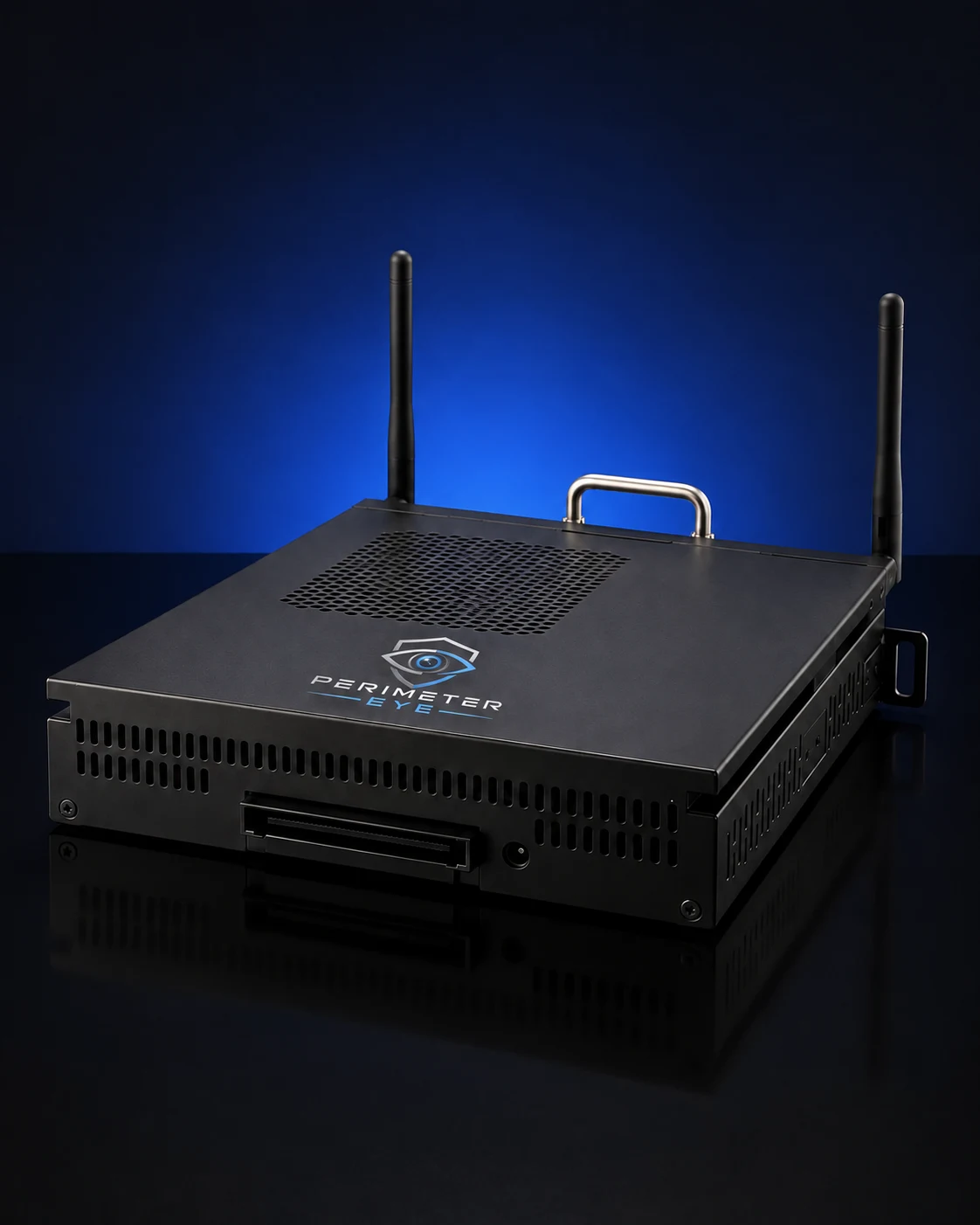
The connection matters more than the camera brand.
If PerimeterEye can access the video stream, your camera can become part of the system—directly or through a compatible NVR using credentials you provide during setup.
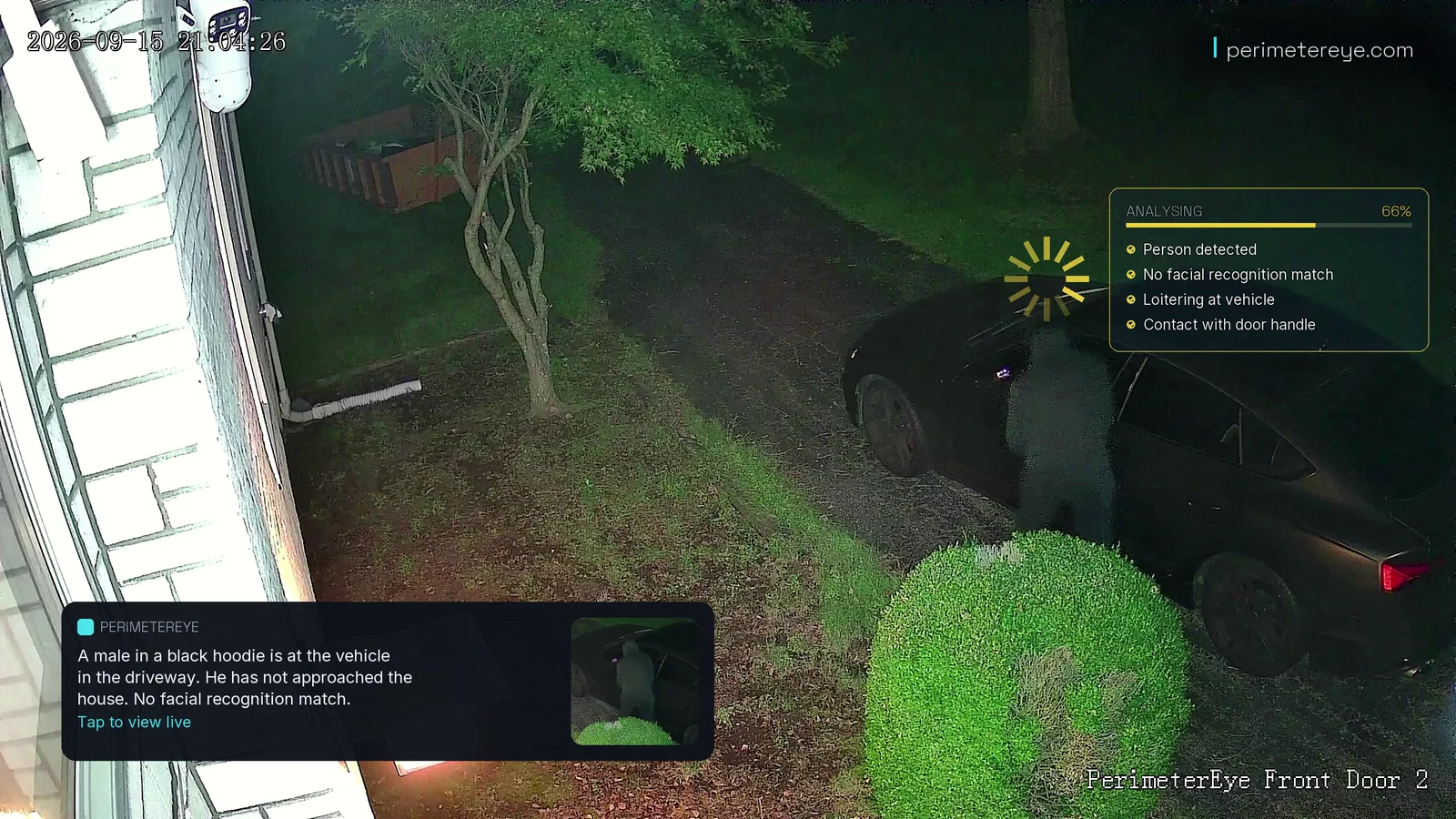
The Brain reads the same moment: a person, no match to anyone it knows, loitering at the vehicle, contact with the door handle. The alert describes them in plain language.
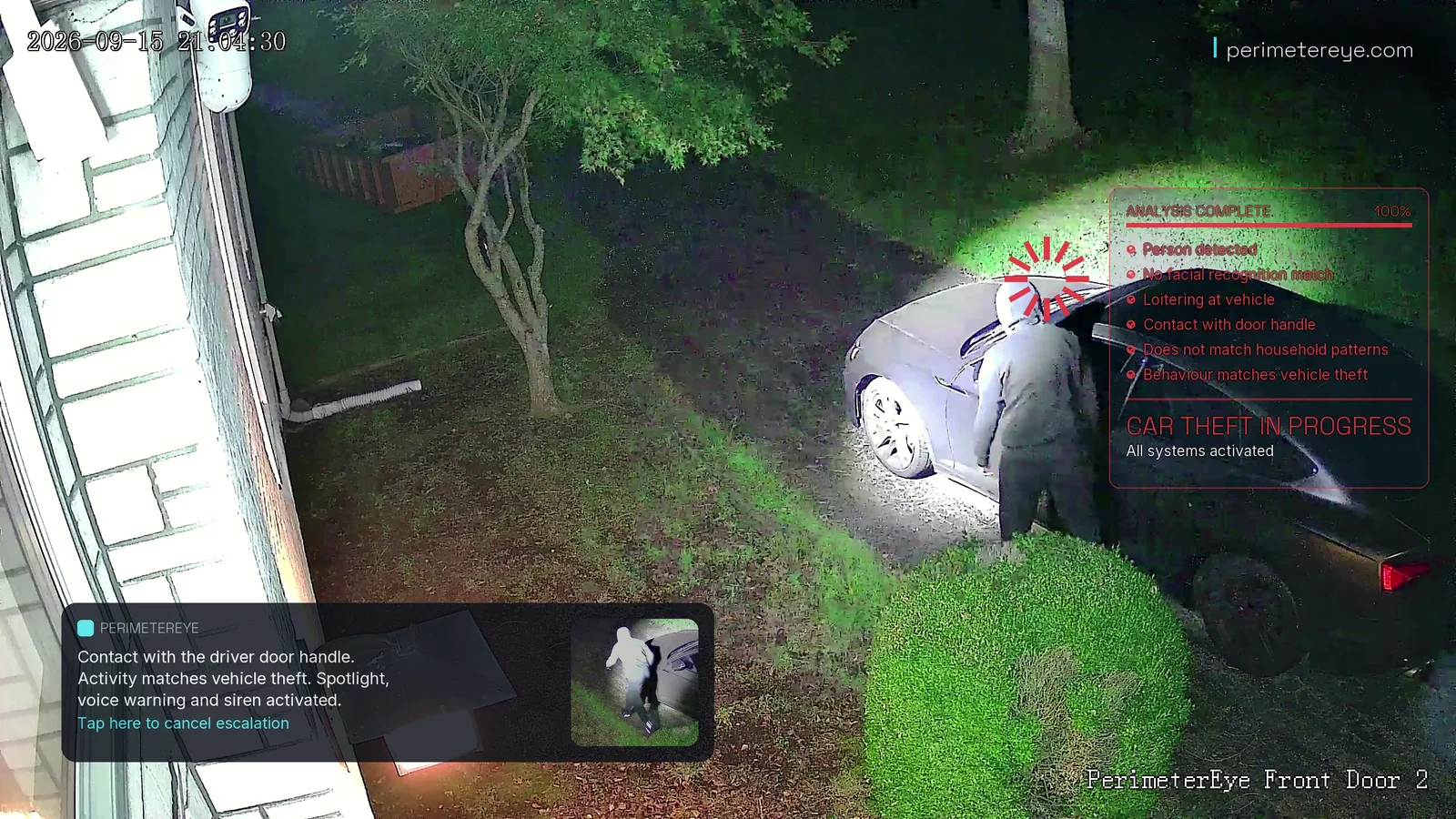
Add a tracking searchlight, a siren, and AI voice warnings, and the camera’s view directs a response. Four seconds later, the searchlight is on the person at the driver’s door.
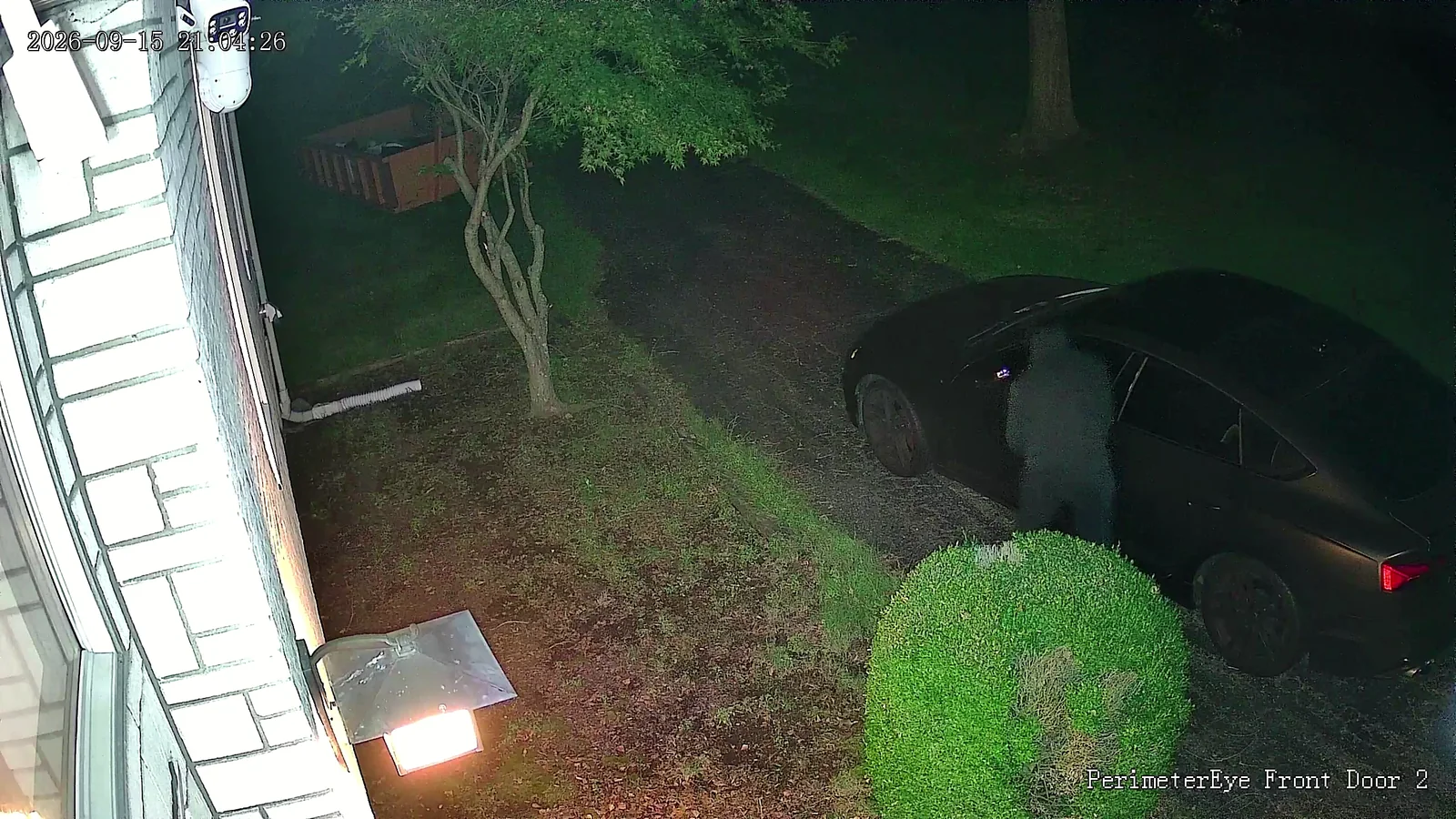
Stills from a vehicle break-in staged for filming on a real property, on the Front Door 2 camera’s clock (21:04:26 and 21:04:30). The system’s response was automatic, with no operator.
Two ways in
Direct from a camera. Or through your recorder.
You do not need to replace a working camera system just to add PerimeterEye. The first step is establishing how its video can be accessed.
Direct camera connection
Connect to the cameras themselves.
When your network cameras expose usable streams, the Brain connects to them using the camera’s connection details and authorized login.
Existing camera positions and cabling can stay.
Different camera brands can be reviewed together.
NVR / recorder connection
Your NVR can be the way in.
If your network video recorder provides accessible streams for its camera channels, PerimeterEye can read those streams through the recorder using the login credentials you supply.
We check channel access and recorder permissions.
A DVR may also work if it exposes usable network streams.
Have cameras plugged into the back of an NVR? Send us the recorder model as well as the camera models. We will check the best connection path for that setup.
What makes it compatible
A usable stream. Authorized access. A clear view.
There is no single-brand requirement. We check what your equipment actually makes available and how it connects on your property.
The camera or recorder must make its video available to PerimeterEye. Viewing it in the manufacturer’s app alone does not confirm this.
Permission to connect
You provide authorized camera or NVR credentials during setup. That account needs permission to access the camera channels you want to use.
A connection the Brain can reach
The Brain needs network access to those streams. Recorder settings, separate camera networks, and channel permissions may need configuration.
Video that shows what matters
Stream stability, image quality, night visibility, and camera placement affect what PerimeterEye can see. We review those alongside basic connectivity.
A login is useful when it unlocks the video stream.
Some app-only or cloud-only systems do not expose video to other systems. A subscription, app password, or sharing link alone may not be enough. We check the specific model before recommending an upgrade.
What you gain
Your existing views. A fuller understanding.
The cameras provide the view. PerimeterEye connects the activity into events you can understand, review, and act on.
See the whole visit in context.
In this real app screenshot, PerimeterEye brings a landscaping crew’s activity across several camera views into one report—from their arrival through their time on the property to their departure.
Catch up without watching everything.
Read written event reports, daily briefings, and hour-by-hour activity. Search past events in plain language.
Add a response where you need one.
Choose Defense or Complete to add PerimeterEye response hardware. The Brain commands the searchlight and coordinates the connected response using the activity seen by your cameras.
*Upgrade: Intelligence, $0 down: 36 monthly payments of $74.18 at 10% APR on the hardware price before sales tax, shown rounded up to the dollar. Upgrade: Defense, $0 down: 36 monthly payments of $112.90 at 10% APR. Upgrade: Complete, $0 down: 36 monthly payments of $129.04 at 10% APR. Affirm rates 0–36% APR; Klarna terms are shown at checkout. Subject to eligibility and lender approval; your rate, term and down payment may differ. US only; not available in all states. Software is billed separately: first 6 months included, then $99/month.
Confirm compatibility before ordering. Video access does not automatically include control of a third-party camera’s speaker, siren, or moving head. Need new cameras instead? Compare complete systems.
Let’s check your setup
Tell us what you already have.
You do not need to know the technical details. Start with the equipment you can identify, and we will help with the rest.
01
Camera brand and model
Add the number of cameras you want to connect.
02
Recorder brand and model
If you use an NVR or DVR, include its model and whether your cameras connect through it.
03
How you view your cameras today
Tell us the app or recorder you use, and whether you have access to its settings.
Please do not include passwords or private stream links. Login credentials are provided during setup, after the equipment review.
Before you choose
A few questions before you upgrade.
Can PerimeterEye connect through my NVR?
Yes, if your NVR provides usable video streams for the camera channels you want to connect. During setup, you provide authorized login credentials with permission to access those streams. We check the recorder model, channel access, and network connection. Being able to log in to the recorder’s own app is not, by itself, confirmation of stream access.
Do all my cameras have to be the same brand?
No. Compatibility is based on access to each camera’s video stream, rather than a requirement to use one camera brand. Tell us the models and whether they connect directly or through a recorder so we can review the setup.
What about older cameras connected to a DVR?
A recorder can provide a connection path for older cameras if it exposes usable network video streams for their channels. We check the DVR and available video output. An analog camera connection on its own is not a network stream the Brain can access.
My camera only works through its own app. Is that enough?
Not necessarily. The camera or recorder needs to make a usable video stream available to PerimeterEye. App login details, a cloud account, or a view-only sharing link may not provide that access. Send us the model and we can help establish what is available.
Do I need to remove my NVR or existing cameras?
An upgrade is designed to use compatible equipment you already own. Your cameras can stay in place, and an NVR can remain part of the setup. We check whether it can serve the required streams alongside its existing recording workload.
Will PerimeterEye control my camera’s built-in speaker or moving head?
Video compatibility does not automatically include control of a third-party camera’s speaker, siren, or pan-and-tilt functions. PerimeterEye response hardware is added separately or included in Defense and Complete upgrade packages. The Brain commands that connected hardware as part of the system.
Should I send you my camera password?
Not in the compatibility form or by email. We only need equipment details for the initial review. Authorized camera or recorder credentials are provided during setup when the streams are connected. You do not need to publish a camera feed on the internet for us to review your equipment.