Set the way your property responds
Adjust your mode and response preferences, set delivery directions, and schedule perimeter sweeps as often as you like.
Choose the coverage, put the hardware in place, and connect your property. We provide the setup guidance; you can install the system yourself or hire an independent installer for the physical work.
 View photo
From order to everyday use
Start with the paths people use to enter the property. Mark the entrances, driveway, parking areas, and detached buildings you want to see and respond around.
Select a package and adjust the cameras, searchlights, sirens, intercoms, and panels. Check existing-camera compatibility first if you are planning an upgrade.
Use the supplied guidance to plan mounting points, power, and network connections. If you hire an installer, agree the physical work and their price directly with them.
Install the hardware and connect the Brain. Position cameras and searchlights around the same useful coverage areas, with clear views and room for the light to move.
Connect your phone and indoor panels. Set up the property, household information, delivery instructions, and the response preferences you want the system to use.
Check each camera view, entrance call, and connected device. Confirm that important approach paths are visible, then use Armed as your everyday mode.
Before the hardware arrives
Your controls after setup
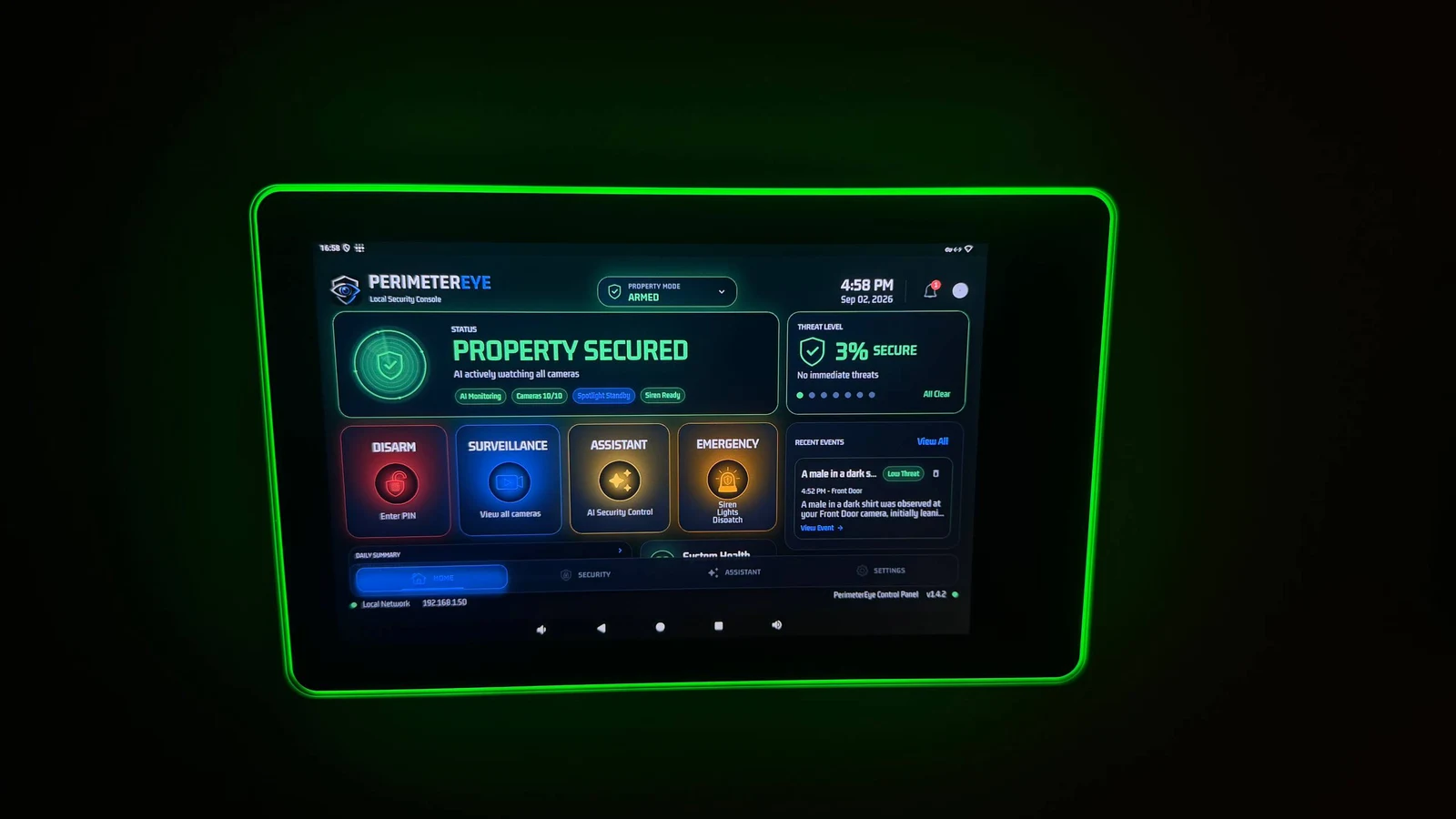
Use the wall panel at home and the app when you are away. Live views, entrance calls, Property Modes, and event review remain part of your everyday experience after installation.
Adjust your mode and response preferences, set delivery directions, and schedule perimeter sweeps as often as you like.
Revisit camera views when parking arrangements, landscaping, or access routes change. Tell the system when your property instructions change, too.
Actual wall-panel and iPhone app recordings. These show the owner interface, not an installation tutorial.
Explore the real wall panel. Tap play to watch.
Once you are connected
PerimeterEye learns your property and handles ordinary arrivals, workers, and deliveries in context. There is no daily routine of arming and disarming as people come and go. Visitor mode is for large gatherings with lots of expected activity.
Explore Property ModesBefore you choose
Guided self-installation is included with your system. If you prefer professional installation, we provide independent installer options. You choose, hire, and pay the installer directly; installation labor is separate from your equipment order.
List the entrances, driveway, parking areas, and buildings you want covered. Note mounting locations, existing cameras, available power, and network connections. A few property photos or a simple layout help our team discuss the equipment you need.
Possibly. Use the camera compatibility path before choosing an upgrade package. Compatibility depends on the camera and how its video can be accessed; having an existing camera system does not by itself confirm compatibility.
Yes. Your purchase includes in-depth installation and setup instructions, with guidance for equipment placement, connections, activation, and using the system.
The complete-system launch offer includes the first six months of subscription from activation. After the included period, service is $99 per month. The included period does not begin while your order is awaiting delivery.
The work depends on your property, mounting points, cable routes, existing infrastructure, and equipment count. Plan the physical installation first; a property with ready connections is a different job from one needing new runs to a gate or detached building.
Build your package, or talk with us about your layout and existing equipment before you choose.
Explore an upgrade for your existing camerasSystem launch offer
First 6 months included from activation. Then $99/month.
Compare system packages