For a delivery
Give the courier directions to your preferred drop-off location using your property instructions.
An entrance call can reach your cell phone and every PerimeterEye wall panel at home. Speak with the visitor, choose two-way video, ask the AI Doorman to handle it, or open a compatible entrance from your controls.
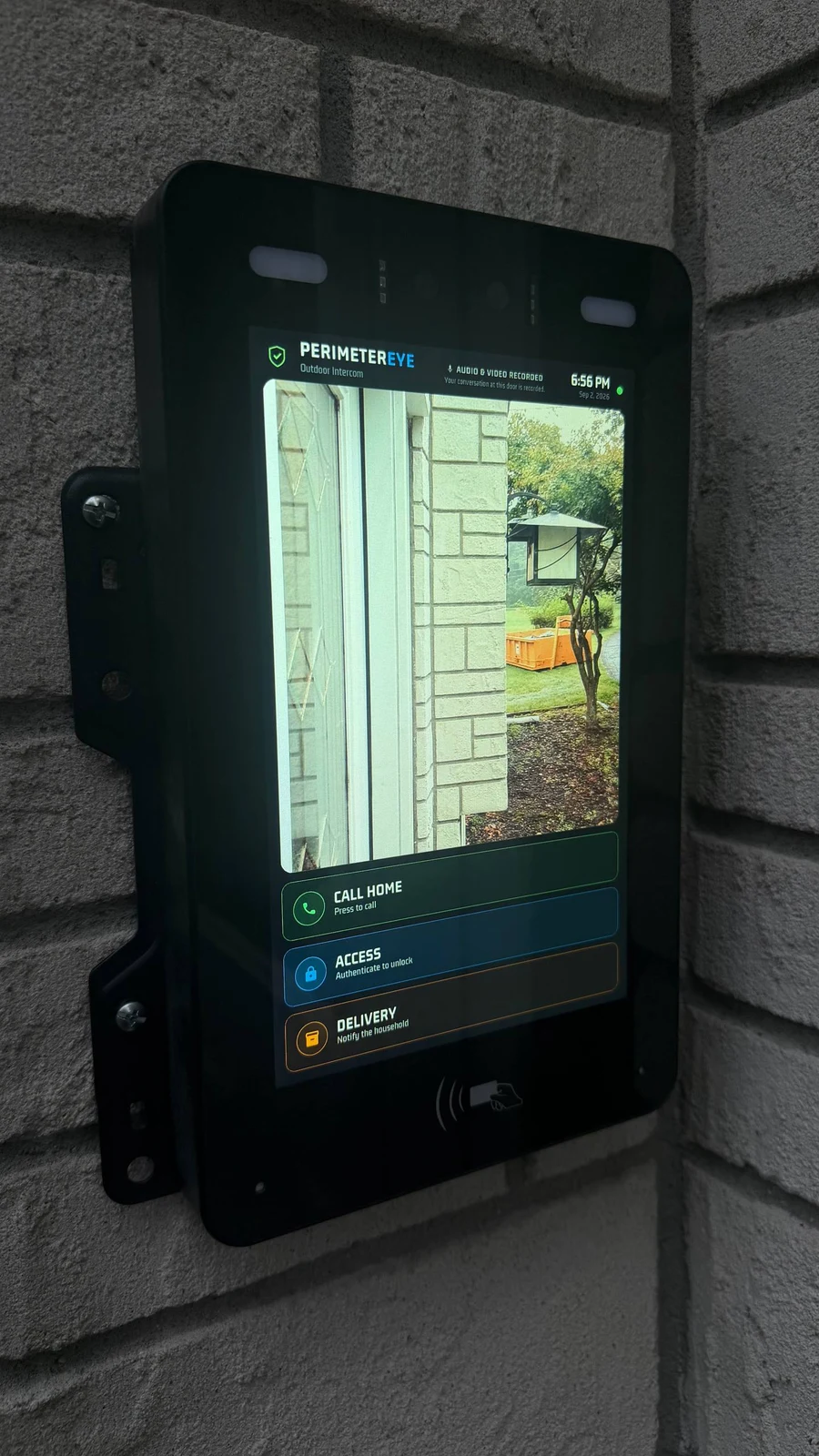 View photo
When someone presses the button
Every PerimeterEye indoor wall panel and your cell phone receive the entrance call, giving you a place to answer wherever you are.
Answer with the visitor's video visible and your own camera off. If you want a face-to-face call, enable video on your side too.
Give directions, continue the conversation, or unlock a compatible entrance from your app or wall panel when you want to let the person in.
Inside your home
You do not need to find your phone to answer the door. Your indoor PerimeterEye panels ring and let you see the visitor, speak with them, and control a compatible entrance.
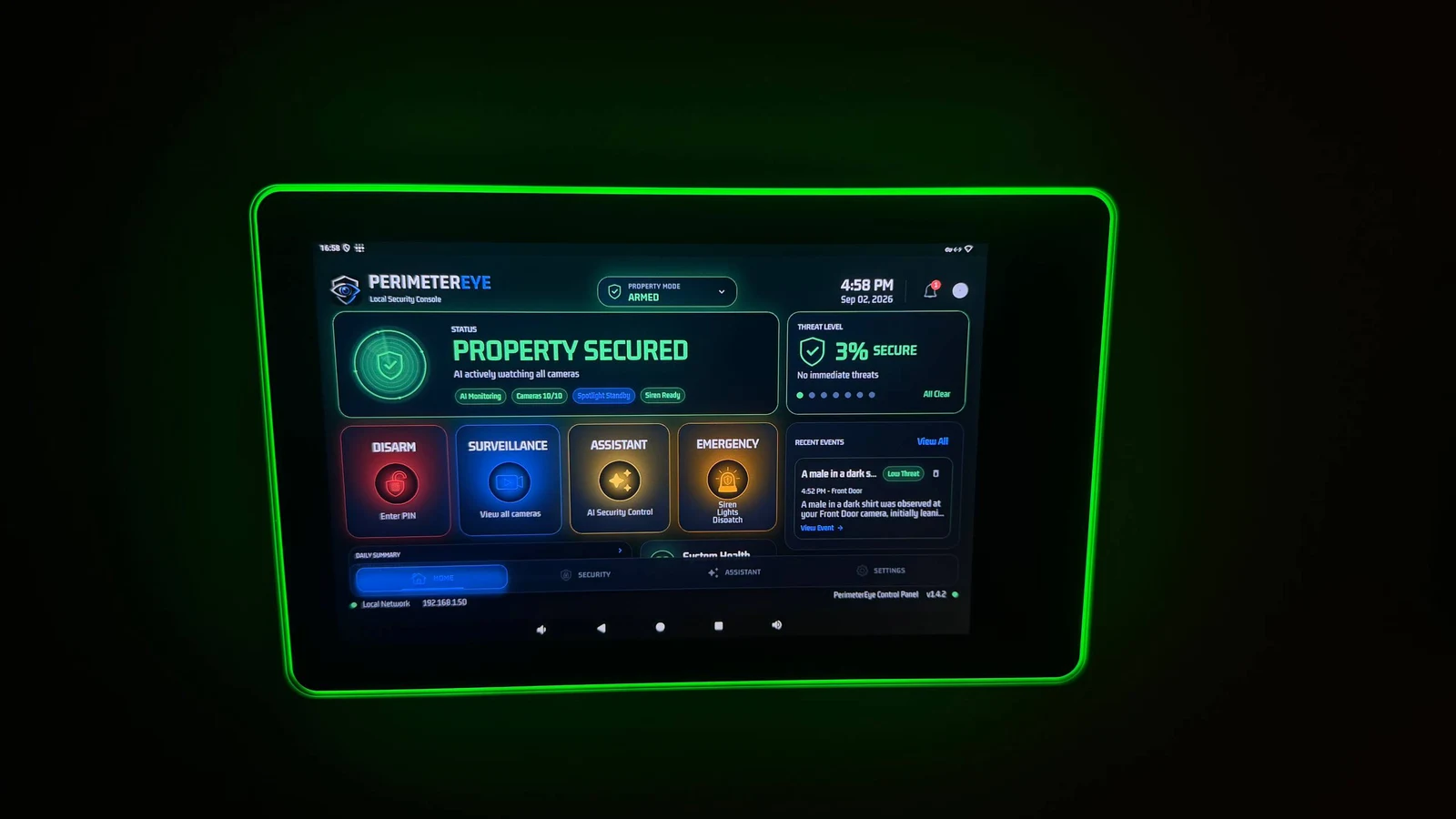 View photo
AI Doorman
When you do not want to answer personally, let the AI communicate with the person at the entrance.
Give the courier directions to your preferred drop-off location using your property instructions.
Let the AI speak with the person at the entrance and help them understand where to go or what to do next.
Have the AI ask them to leave, without getting into the conversation yourself.
Entry options
PerimeterEye learns your property and handles ordinary arrivals, workers, and deliveries in context. There is no daily routine of arming and disarming as people come and go. Visitor mode is for large gatherings with lots of expected activity.
Explore Property ModesChoose your entrance setup
Standalone Access is as low as $66/mo*. Service is $29.99/month, starting after activation.
*Access, $0 down: 18 monthly payments of $66.00 at 10% APR on the hardware price before sales tax, shown rounded up to the dollar. Affirm rates 0–36% APR; Klarna terms are shown at checkout. Subject to eligibility and lender approval; your rate, term and down payment may differ. US only; not available in all states. Software is billed separately: $29.99/month after activation.
Explore PerimeterEye AccessBefore you choose
Your cell phone and all PerimeterEye wall panels inside your home ring, so you can answer at home or on your phone.
No. You can answer, see the visitor's video, and talk while keeping your own camera off. You can choose to enable video on your side for a two-way video call.
You can let the AI speak with the person at your entrance. It can provide delivery directions, help a visitor, or ask someone you do not want at your door to leave without you taking the conversation yourself.
Yes, with a compatible entrance setup. You can release entry from your mobile app or indoor wall panel. Check the lock or gate connection requirements for your entrance before ordering.
Yes. PerimeterEye Access supports access cards and PIN entry alongside remote entry controls. Those entry methods let authorized people use the entrance without starting a call each time.
No. Standalone Access has its own plan: $29.99/month, starting after activation. The complete-system six-month launch offer is a separate offer.